极客笔记
极客笔记如何在ReactJS中渲染后设置输入字段的焦点
在React中使用表单时,有时我们可能需要将焦点放在任何输入字段上。例如,我们希望只有当用户在输入字段中输入一些文本时才能启用提交按钮。在这种情况下,我们可以将焦点放在输入字段上,以便用户知道他们必须在输入字段中输入一些文本才能启用按钮。
在本教程中,我们将学习在ReactJS中渲染后将焦点放在输入字段上的多种方法。
使用autoFocus属性与输入字段
我们可以在HTML中使用autofocus属性来将焦点放在输入字段上,但我们需要使用camelCase的方式,例如autoFocus。
当我们将autoFocus属性传递给任何输入字段时,在ReactJS中渲染后它会自动获得焦点。
语法
用户可以按照下面的语法使用autoFocus属性在ReactJS中渲染后将焦点放在输入字段上。
<input id = "name" autoFocus />
在上述语法中,我们创建了简单的输入框,并使用了 autoFocus 属性。
示例
在下面的示例中,我们创建了输入框。同时,我们将 focusText 变量绑定为输入框的值。此外,我们使用handleInput()函数来处理输入值。
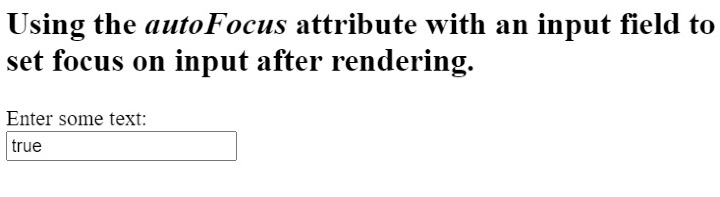
由于我们给输入框添加了autoFocus属性,每当刷新网页时,输入框都会自动获得焦点。
#App.js
import React, { useState } from "react";

export default function App() {
   const [foucsText, setFocusText] = useState(true);
   function handleInput(event) {
      let value = event.target.value;
      setFocusText(value);
   }
   return (
      <div className = "App">
         <h2>
            {" "}
            Using the <i> autoFocus </i> attribute with an input field to set focus on
            input after rendering. {" "}
         </h2>
         <label for = "name"> Enter some text: </label>
         <br></br>
         <input id = "name" autoFocus onInput = {handleInput} value = {foucsText} />
      </div>
   );
}
输出
使用ref和componentDidMount()方法
ref允许我们将任何HTML元素的引用存储在变量中。因此,我们可以使用ref将输入元素存储在任何变量中。然后,我们可以使用带有变量的focus()方法来聚焦在输入框上。
componentDidMount()方法是ReactJS中的生命周期方法。它在组件渲染完成后自动执行。因此,我们可以在componentDidMount()方法中使用focus()方法和输入变量来设置输入框的聚焦。
语法
用户可以按照以下语法使用ref与输入元素一同将焦点聚焦在输入框上。
<input
   ref = {(inp) => {
      inp.focus();
   }}
/>
在上述语法中,我们使用了 ref,它将回调函数作为值,而在回调函数中,我们使用了 focus() 方法来设置焦点在输入元素上。
示例
在下面的示例中,我们创建了两个输入元素。我们在第二个输入中使用了 ref,而第一个输入则没有使用 ref 属性。 ref 属性以回调函数作为值。回调函数接受一个参数,指向使用了 ‘ref’ 的输入。之后,我们可以使用 focus() 方法来设置输入元素的焦点。
import React from "react";

class App extends React.Component {
   render() {
      return (
         <div>
            <h2>
               {" "}
               Using the <i> refs </i> with an input field to set focus on
               input after rendering.{" "}
            </h2>
            <input defaultValue = "This input is not focused!" />
            <br></br>
            <br></br>
            <input
               ref = {(inp) => {
                  inp.focus();
               }}
               defaultValue = "This is focused input!"
            />
         </div>
      );
   }
}
export default App;
输出
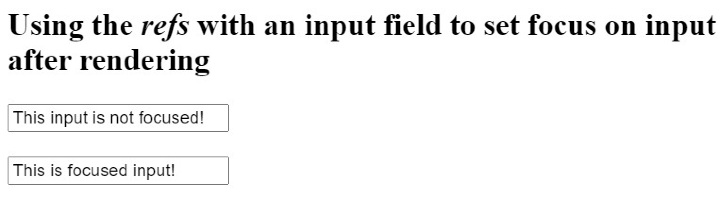
在上面的输出中,用户可以观察到第一个输入框没有聚焦,而第二个输入框聚焦了。
示例
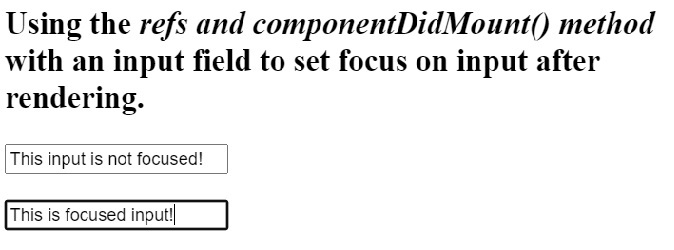
在下面的示例中,我们使用了’ref’属性来获取输入框的引用。之后,我们在类组件中使用了componentDidMount()方法,并在该方法中访问了输入框,使用了focus()方法来设置元素的焦点。
import React from "react";

class App extends React.Component {
   componentDidMount() {
      this.secondInput.focus();
   }
   render() {
      return (
         <div>
            <h2>
               {" "}
               Using the <i> refs and componentDidMount() method </i> with an input
               field to set focus on input after rendering.{" "}
            </h2>
            <input
               defaultValue = "This input is not focused!"
               ref = {(firstInp) => {
                  this.firstInput = firstInp;
               }}
            />
            <br></br>
            <br></br>
            <input
               ref = {(secondInput) => {
                  this.secondInput = secondInput;
               }}
               defaultValue = "This is focused input!"
            />
         </div>
      );
   }
}

export default App;
输出
使用ref和useRef() hooks
如上所述,我们可以使用“ref”属性来引用元素。useRef()是函数组件中的一个hook,它替代了类组件的生命周期方法。
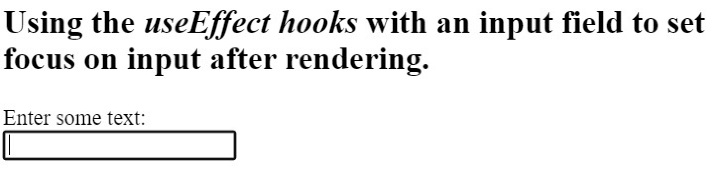
在渲染完成后,我们可以使用useEffect() hook来设置输入框的焦点。
语法
用户可以按照以下语法使用useRef()和useEffect() hooks在渲染后设置输入框的焦点。
useEffect(() => {
   input.current.focus();
}, []);
在上述语法中,我们将回调函数作为第一个参数传递,该回调函数设置输入焦点,将[]作为第二个参数,表示在渲染组件后仅设置一次焦点。
示例
在下面的示例中,首先我们使用useRef()创建一个ref,并将其存储在testRef变量中。之后,我们使用’ref’属性将输入的引用赋给testRef变量。
接下来,我们在useEffect()钩子中使用testRef输入变量,以在渲染后将焦点设置在输入上。
import React, { useState, useRef, useEffect } from "react";

export default function App() {
   const testRef = useRef();
   useEffect(() => {
      testRef.current.focus();
   }, []);

   const [foucsText, setFocusText] = useState("");
   function handleInput(event) {
      let value = event.target.value;
      setFocusText(value);
   }
   return (
      <div className = "App">
         <h2>
            {" "}
            Using the <i> useEffect hooks </i> with an input field to set focus on
            input after rendering.{" "}
         </h2>
         <label for = "name">Enter some text: </label>
         <br></br>
         <input id = "name" ref = {testRef} onInput = {handleInput} value = {foucsText} />
      </div>
   );
}
输出